
Manage Your Entire Home Infrastructure

Track inventory, map connections, and find documentation for Tech, Electrical, and Plumbing.

Get Started
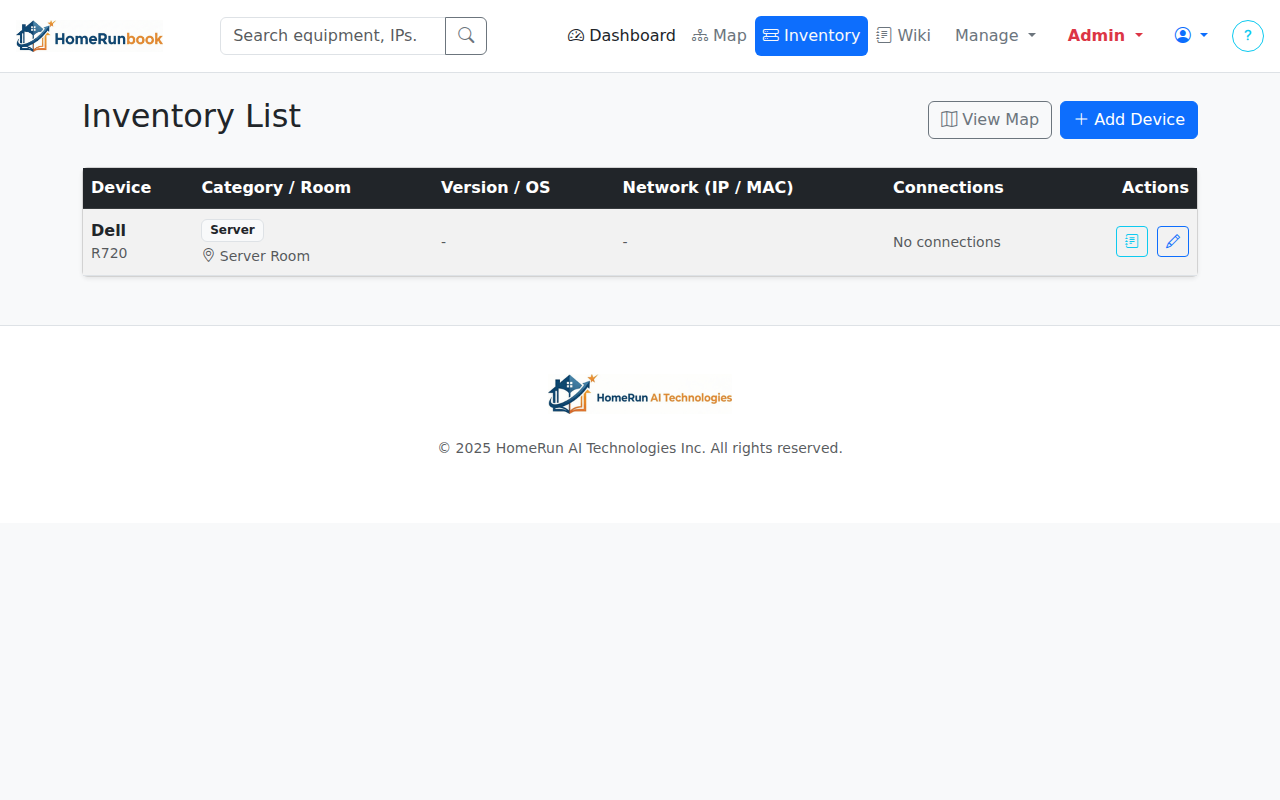
Inventory Management UI

Inventory & Documentation

Catalog every piece of gear in your home, from servers and smart bulbs to circuit breakers and faucets.
  • Detailed Records: Track Brand, Model, Serial Numbers, and Firmware/OS versions.
  • Any Device Type: Support for Electronics, Electrical panels, and Plumbing fixtures.
  • Network Intelligence: Track IP addresses (Static/DHCP), MAC addresses, and open ports for smart devices.
  • Instant Manuals: Our system automatically finds and links documentation for your devices.
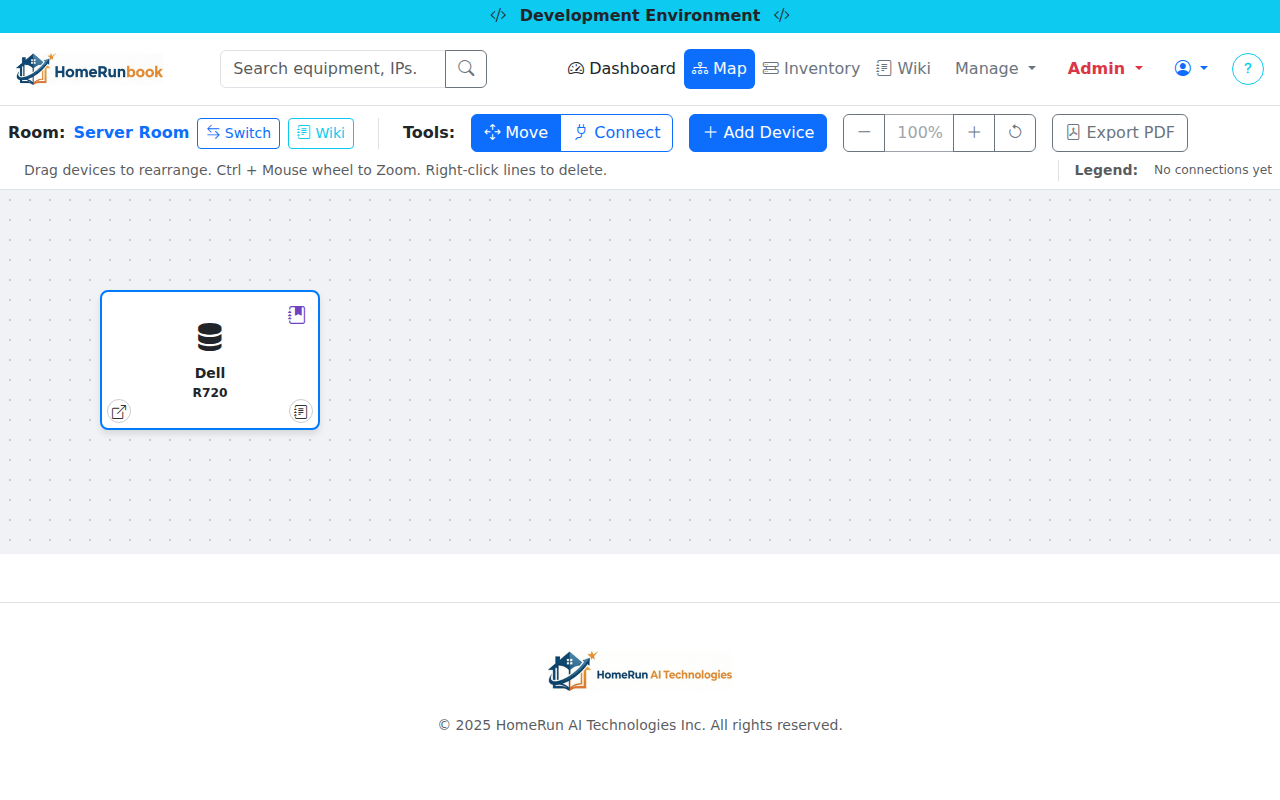
Connection Mapping Diagram

Interactive Connection Maps

Visualize how everything connects. Perfect for troubleshooting and planning.
  • Visual Mapping: Drag-and-drop interface to map connections between devices.
  • Multi-Domain Support: Map data networks (Ethernet/Fiber), Phone Systems (POTS), Electrical circuits (Romex), and Plumbing (Copper/PEX/PVC).
  • Detailed Specs: Track bandwidth speeds, electrical voltage/amperage, and pipe diameters directly on the map lines.
  • Auto Layout: Instantly organize overlapping devices into a clean grid centered in your view.
  • Cross-Room Linking & Jumping: Connect devices across rooms and instantly jump to the destination map with a double-click.
  • ISP & Modem Tracking: Track your Modems, Internet Service Provider details, static IPs, and WAN configuration.
  • Location & Client Info: Assign physical addresses and client names to your rooms for better project management.
  • Read-Only Sharing: Share safe, non-interactive views of your maps with specific team members or contractors.
  • PDF Export: Generate professional connection diagrams for installers or records.
  • Snapshots & Rollbacks: Automatically capture a point-in-time version of your map every time you move a device or update a connection. Browse the full history to see how your system evolved.
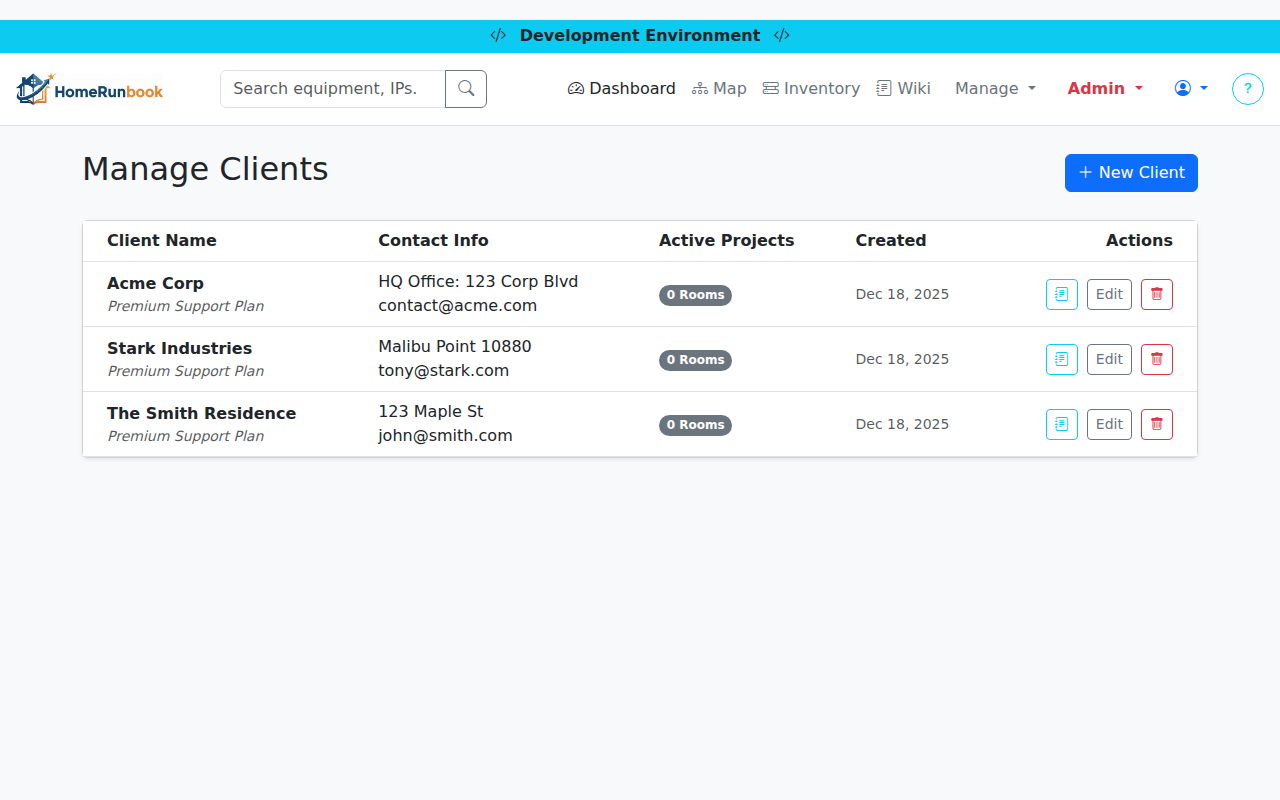
Client Management Interface

Client & Project Management

Built for Integrators and MSPs. Organize rooms and devices by client.

  • Client Profiles: Create and manage distinct client profiles with contact details.
  • Project Organization: Group rooms and maps under specific clients to keep projects separate.
  • Smart Filtering: Filter your room dashboard to see only the projects relevant to a specific client.
  • Safe Connections: Intelligent safeguards prevent accidental connections between different clients' systems.
Smart Search UI

Find Anything, Instantly

Never lose track of a device or configuration again.
  • Smart Search: Find devices by IP, MAC address, connection type, OS version, or serial number.
  • Inventory Lists: View a sortable, comprehensive list of all your equipment and its connections.
  • Team Collaboration: Share access with family members or IT staff with secure role management.
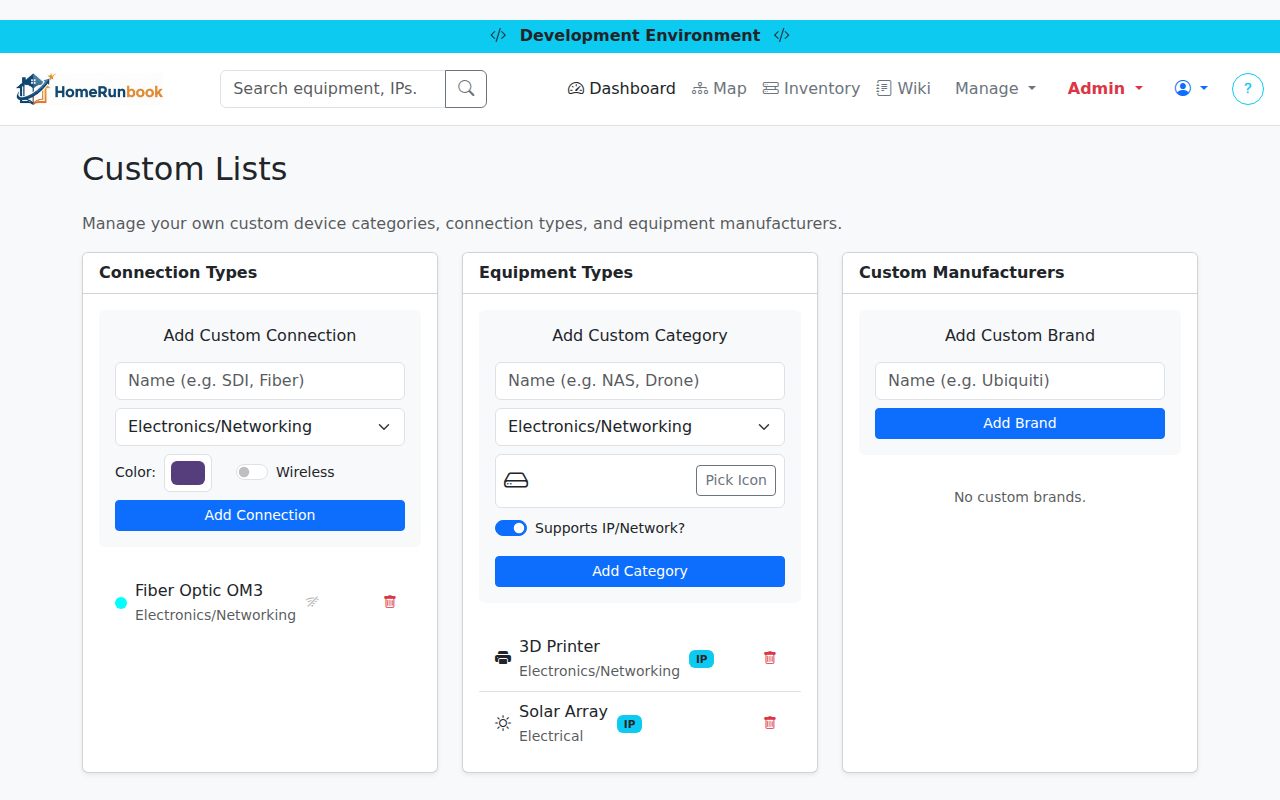
Custom Lists Interface

Customization & Personalization

Tailor HomeRunbook to fit your unique setup, no matter how complex.
  • Custom Categories: Add your own device types like '3D Printer' or 'IoT Sensor'.
  • Custom Images: Upload real photos or custom logos for your devices and categories.
  • Custom Connections: Define specialized cables (e.g., 'XLR', 'SFP+') or wireless protocols.
  • Smart Toggles: Enable IP tracking for specific device types or mark connections as wireless to clean up your map.
  • Custom Brands: Track niche or custom-built hardware with full support.
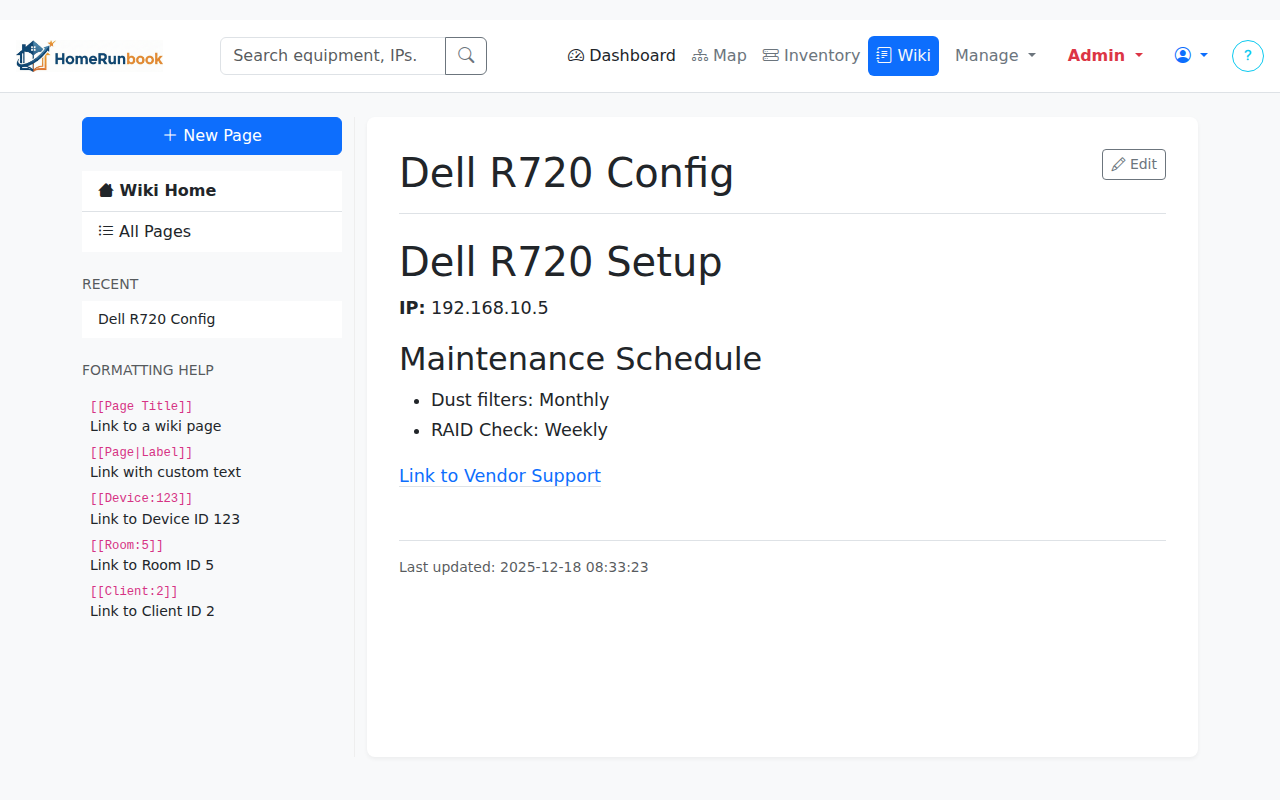
Wiki Page Interface

Built-in Wiki System

Document more than just connections. Keep notes, guides, and configs right where you need them.

  • Link Everything: One-click wiki pages linked directly to devices, clients, rooms, and connections.
  • Flexible Editing: Write in Markdown, WYSIWYG (Rich Text), or Plain Text.
  • Context Aware: Access wiki notes directly from the device map or inventory list.
  • Smart Linking: Easily cross-link between wiki pages and app entities using simple tags.
  • Wiki Version Control: Track every edit, compare revisions side-by-side with visual "diffs", and add detailed change notes for team transparency.

Simple, Transparent Pricing

Start for free, upgrade when you need more power.

Free

$0

Forever

  • 1 Rooms
  • 10 Devices
  • 1 Room, 10 Devices

Personal

$30

per year (~$2.50/mo)

  • 5 Rooms
  • 25 Devices
  • Versioning +$10.50 option
  • 5 Rooms, 25 Devices

Power User

$60

per year (~$5.00/mo)

  • 10 Rooms
  • 100 Devices
  • Single User
    + $10.00/yr / user
  • Versioning +$21.00 option
  • 10 Rooms, 100 Devices

Professional

$90

per year (~$7.50/mo)

  • 50 Rooms
  • 500 Devices
  • 5 Team Users
    + $7.50/yr / user
  • 10 Clients
  • Custom Lists
  • Versioning +$31.50 option
  • 50 Rooms, 500 Devices, 3 Users

Enterprise

$200

per year (~$16.67/mo)

  • Unlimited Rooms
  • Unlimited Devices
  • 10 Team Users
    + $5.00/yr / user
  • Unlimited Clients
  • Custom Lists
  • Versioning +$70.00 option
  • Unlimited Rooms & Devices, 10+ Users
Feedback

Send Feedback

Thank You!

Your feedback has been received.